CV Templates
By Priya Sharma · Updated 12 June 2026

Job-hunting after your degree?
Get our free Graduate Job Pack: the grad-scheme calendar by sector, a one-page CV that actually gets read, what to negotiate in an offer, and what Plan 5 repayments take from your first payslip. Twelve pages, checked for 2026/27.
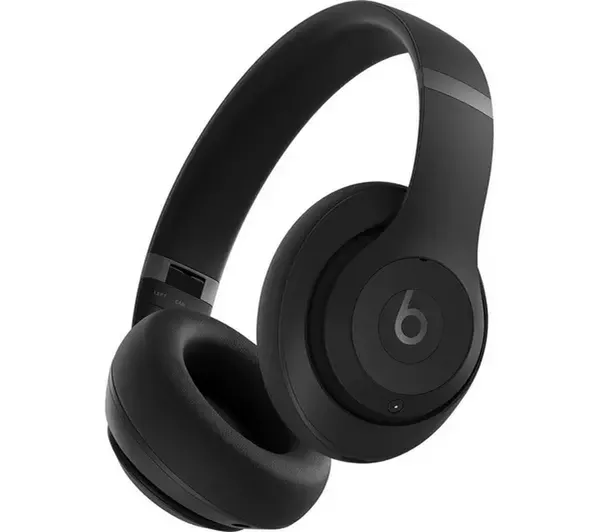
One email a week, unsubscribe whenever. Every signup goes into our draw for the Beats Studio Pro (£349, UK, 18+). Terms.
Pick your CV template
Why these templates are safe for UK graduates
The four templates on this page are plain-formatted Word documents: single-column, no text boxes, no tables inside the experience section, no colour reliance and no images. That means ATS (Applicant Tracking System) parsers can read every line, every graduate scheme portal will accept the file, and a hiring manager reading the PDF version sees exactly what the algorithm sees. If you paste a template from elsewhere and it uses columns, coloured sidebars, or graphics for skills ratings, most ATS will mis-parse your experience, your application is then ranked against someone whose CV was read correctly. Stick to these layouts until you have three years of work experience.
Three UK graduate CV templates. One page, Calibri throughout, ATS-safe. Open in Word, Google Docs or Pages.
- .docx
- One page
- ATS-safe layout
- Placeholders in brackets
No email, no sign-up, and replace the placeholders in square brackets, keep the section structure, export to PDF before sending.
What is inside
Three separate CV templates for three different stages of the UK graduate pipeline, and pick the one that matches where you are, not the one you wish you were at.

- Graduate ClassicOne-page chronological layout. Experience first, then education, skills, projects. Thin orange rule under the header, Calibri 10pt body, ATS-safe.
- Skills-First GraduateTwo-column skills-and-evidence table opens the CV. Education and Experience sit underneath, condensed. For grads whose strongest material is coursework, societies or part-time work.
- Internship / PlacementEducation and a Projects section lead. Predicted grade and module averages are front-and-centre. Built for second and third years applying to internships or industrial placements.
How to use the templates
The shortest possible setup: open the file, replace the placeholders, export to PDF. If you only have twenty minutes before an application closes, these four steps are the ones that matter.

- Open in Word, Google Docs or Pages.Everything is plain text with a table-free layout. No macros, no images, nothing the ATS will choke on.
- Replace the bracketed placeholders.Keep the section headings exactly as they are. ATS software scans for headings like Experience, Education and Skills.
- Cut anything that does not earn its line.A good grad CV fits on one page. Drop generic duties, keep measurable results.
- Export to PDF before sending.Save as FirstnameLastname_CV.pdf. PDF locks your formatting across devices and inboxes.
FAQ
Common questions about picking and editing the CV templates, answered briefly so you can get back to writing.

Which CV template should I use?
If you have done a year-long placement or a serious internship, use Graduate Classic. If you are applying to your first grad role without a placement, use Skills-First. If you are a second or third year applying for summer internships, spring weeks or industrial placements, use Internship / Placement. For advice specific to early careers, see our graduate careers hub.
Will these pass an Applicant Tracking System?
Yes. The templates use a single column, standard section headings (Experience, Education, Skills) and Calibri, all of which are ATS-safe. Avoid adding images, text boxes or two-column layouts if you want to keep them ATS-compliant. If you want a step-by-step on this, our graduate CV guide walks through the common mistakes.
Is one page enough for a UK graduate CV?
One page is fine for undergraduates applying to internships and for grads with up to two years of experience. Two pages is the ceiling for a standard grad CV. If your material does not fill one page, widen your Projects and Activities sections rather than padding duties. Pair the CV with a strong cover letter, our cover letter guide shows the format recruiters actually read.
Can I change the font and colour?
You can, but keep it conservative, and stick to Calibri, Arial or Helvetica at 10 to 11 point, and keep one accent colour on section headings at most. Anything more is design for its own sake, which recruiters read as a red flag.
From your degree to your first payslip
Some weeks a big scheme quietly moves its deadline and half the people who wanted in hear too late. Some weeks it is the maths on what a £32k offer really leaves after tax and Plan 5. That is the Tuesday email. One tap and it is gone.
Every signup also enters our draw for the Beats Studio Pro (£349, UK, 18+). Terms.
Reviewed · Editorial standards

Ask Priya a question
If this guide didn't cover the thing you came for, ask. If enough people ask the same thing, it becomes a guide.